Most SEO work happens inside a browser tab. You are already on the page you want to audit, already looking at the SERP you want to analyze. Switching to a dashboard to answer a thirty-second question breaks the momentum that makes the work compound.
That is the case for browser extensions: they turn passive browsing into active diagnosis, with no context switching and no export.
The difficulty is choosing. The Chrome Web Store returns hundreds of results for “SEO”, most of them abandoned, and every extension you install can read the pages you visit. It is a trust decision as much as a feature decision.
Three criteria shaped this selection.
What it reveals that the page does not. The useful extensions surface what is invisible: indexability directives, canonical conflicts, missing alt attributes, broken links, the stack behind a competitor’s site.
Whether the data holds up. Traffic and keyword estimates vary enormously in quality between extensions, and decisions built on weak data cost more than no data at all.
What it costs in speed and privacy. The best tools activate on demand, request minimal permissions and state clearly what they collect.
Seven extensions made the list, one per use case rather than seven variations of the same toolbar. It opens with the Pushrank extension, which audits any page in one click without an account.
1. Pushrank SEO Extension
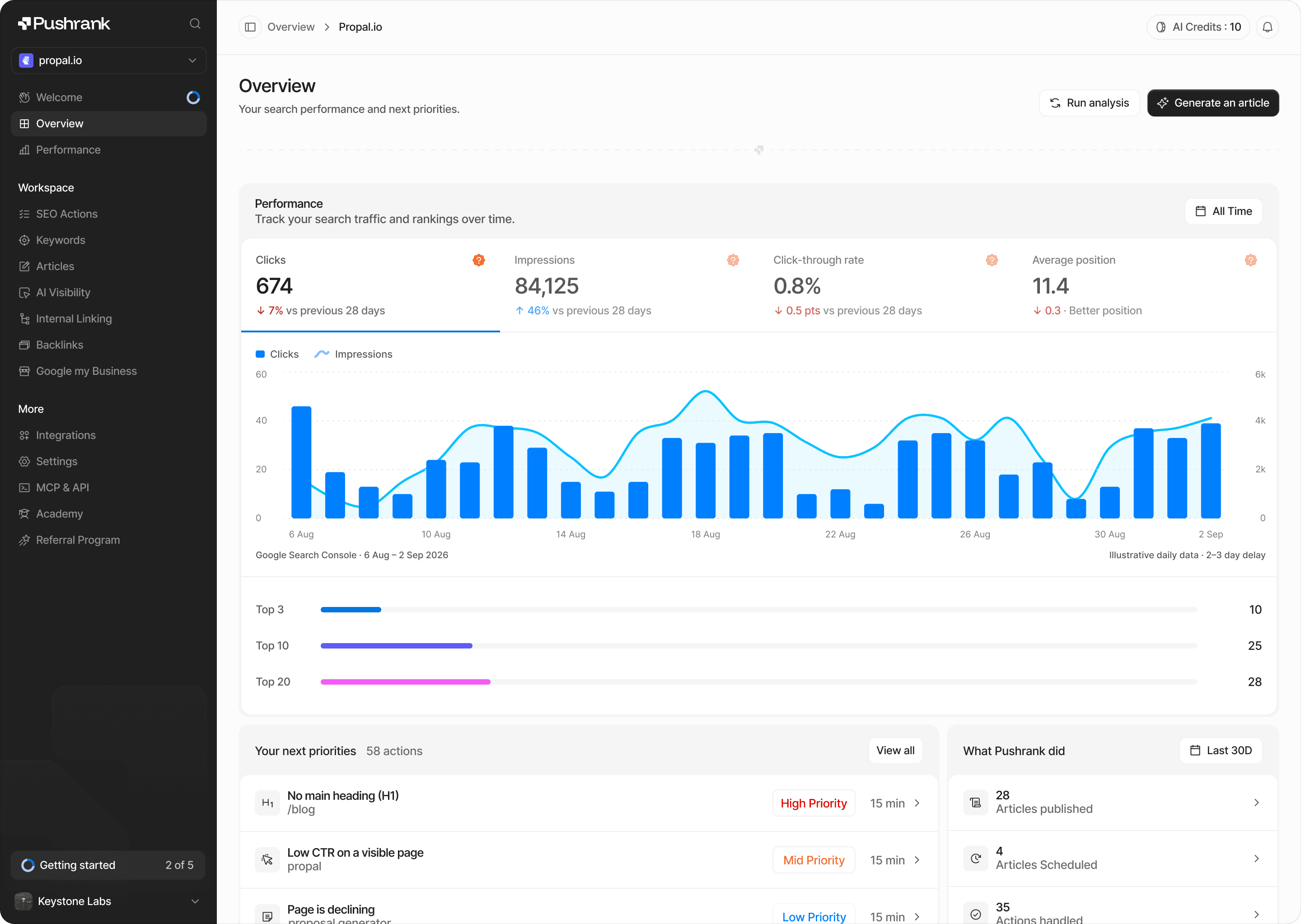
The Pushrank extension audits any page you are viewing in one click, with no account required. The report opens in a panel on the right-hand side of the page, which means you never leave what you are analyzing.
The overview covers what determines whether a page can rank at all: title, meta description, indexability including noindex and X-Robots-Tag directives, canonical, robots.txt, sitemaps and word count. A Pushrank SEO score sits alongside a list of the issues to fix, ordered rather than dumped.
Three tabs then go deeper.
Headings display the full H1 to H6 hierarchy, which exposes the structural problems that are invisible when reading a page normally.
Images flag alt attributes as filled, empty or missing, and surface broken images with their HTTP status on request.
Links separate internal from external, show the anchor text and the rel attributes including nofollow, sponsored and ugc, and check broken links on demand.
Every list can be copied or exported to CSV, and clicking an item highlights it directly in the page. That last detail saves more time than it sounds: you see the problem in context instead of hunting for it.
With a Pushrank account, two additional layers open up.
An E-commerce tab shows monthly traffic and its trend, main countries, estimated revenue month by month, active ads, products and best sellers, and the apps a store runs. These estimates come from Trendtrack, a Pushrank partner, and obtaining them transmits only the domain name of the page you are viewing, never your email or your name.
The extension also surfaces the Search Console trend for your own sites: clicks, impressions, click-through rate and average position over 28 days.
One honest limitation. The score measures on-page best practices, not ranking or authority, and rules requiring a full site crawl are not evaluated. The extension states this directly rather than implying a completeness it does not have.
Best for e-commerce operators, SaaS founders, SEO consultants and marketers who need to check a page, theirs or a competitor’s, in seconds.
2. Detailed SEO Extension
Detailed SEO Extension is the tool most technical SEOs install first on a new machine. Built by Glen Allsopp, it does one thing with unusual clarity: it reads the page in front of you and tells you exactly what a crawler would see.
The panel opens on a summary covering the title and meta description with character counts, the canonical tag, the robots directives, word count and indexability status. Nothing is estimated and nothing is modeled, which is precisely its appeal: every value comes straight from the page source.
Separate tabs break out the rest. The headings tab renders the full H1 to H6 outline, making broken hierarchies obvious at a glance. The images tab lists alt attributes and flags what is missing. The links tab splits internal from external and exposes nofollow attributes.
Two sections earn it a place over simpler alternatives.
Schema markup is parsed and displayed in readable form, which saves opening a validator every time you want to confirm that structured data is present and correct. With generative engines leaning on structured content, checking this has stopped being optional.
Hreflang and Open Graph tags are surfaced in the same view, catching the international and social metadata errors that are otherwise invisible until something breaks.
A row of quick links completes the panel, sending the current URL straight to Search Console, PageSpeed Insights, the Wayback Machine and several validators without copying anything.
The extension is free, with no account and no upsell, which is rare in this category.
Its limitation is also its design philosophy. It reports what is on the page and nothing more. No traffic estimates, no keyword data, no backlinks, no competitive context. It is a diagnostic lens, not an analysis platform.
Best for technical SEOs and developers who want fast, accurate on-page verification without noise.
3. Ahrefs SEO Toolbar
The Ahrefs SEO Toolbar sits in a different category from the first two entries. Where they read the page, this one layers Ahrefs’ index on top of everything you browse.
Its most used feature is the SERP overlay. Run a search and each result displays authority metrics, backlink counts, estimated organic traffic and the number of keywords the page ranks for. Competitive assessment stops being a separate task: you see the difficulty of a query while you are looking at it.
That overlay alone changes how keyword research feels. A term with decent volume and three weak pages in the top five is a very different opportunity from one defended by established domains, and the toolbar makes that distinction instant.
Several utilities complete the set.
The redirect tracer follows a URL through its full chain and displays the HTTP headers at each hop, which resolves migration problems far faster than a terminal.
The broken link checker scans the current page and highlights dead links in place, useful both for fixing your own site and for building outreach lists.
The country changer lets you view SERPs as they appear in another market without a VPN, which matters as soon as you work internationally.
A link highlighter marks nofollow, sponsored and ugc attributes directly in the page, so you can assess a link profile while reading rather than after exporting.
The pricing structure is the main consideration. The on-page report, redirect tracer and link utilities work without a paid plan, but the index metrics that make the toolbar genuinely powerful are tied to an Ahrefs subscription. For teams already paying for one, it is the highest-value extension on this list. For everyone else, most of its appeal stays locked.
Best for agencies and in-house teams already using Ahrefs, who want its data available on every page they visit.
4. Keywords Everywhere
Keywords Everywhere solves a specific friction: knowing what a keyword is worth without leaving the search you just ran.
Install it, and every Google results page displays monthly search volume, cost per click and competition data directly under the search bar. Two side panels complete the picture with related keywords and the terms people search for alongside your query, each with its own metrics.
The effect on research workflow is significant. Instead of collecting ideas, exporting them, importing them into a research tool and waiting for volumes, you evaluate terms as you encounter them. Keyword discovery stops being a dedicated session and becomes something that happens continuously.
Its coverage extends well beyond Google. The extension surfaces the same metrics on YouTube, Amazon, Bing, eBay and Etsy, which makes it unusually useful for e-commerce operators and video creators who need volume data where their audience actually searches. For a YouTube channel, seeing search volume on the platform itself rather than extrapolating from Google is a genuine advantage.
The model is credit-based rather than subscription-first. You buy a pack of credits and each metric request consumes from it, which suits irregular use far better than a monthly fee. Light users spend very little; heavy researchers should model their consumption before committing.
Two caveats are worth knowing.
The volume figures come from aggregated sources, which means they are directionally reliable rather than exact. Use them to compare terms against each other, not as absolute forecasts.
The extension also adds visible elements to every search page you load. Over a long session, that changes how your SERPs look, and some users find the overlay distracting when they are analyzing rankings rather than researching keywords.
Best for content marketers, e-commerce sellers and creators who want continuous keyword context across several platforms at low cost.
5. SEO Minion
SEO Minion is the free all-rounder of this list, and its value lies in covering several checks that usually require either a paid toolbar or a separate tool.
Its on-page analysis follows the familiar pattern: title, meta description, headings, images and canonical, read directly from the page. Nothing surprising there, and Detailed SEO Extension does it more elegantly.
Three other features justify the install.
The broken link checker scans every link on the current page and reports which ones fail, highlighting them in place. Running it on a long article or a category page surfaces problems that accumulate silently over years, and it costs nothing.
The hreflang checker is the standout. It validates the hreflang annotations on a page and flags missing return tags, which is the single most common international SEO error and one that almost no free tool catches. For anyone running a multilingual site, this alone pays for the installation.
The SERP location simulator lets you see results as they appear from another country or city, without a VPN and without changing your search settings. Useful for local SEO, essential for international work.
A SERP preview tool completes the set, showing how a title and description will render before you publish.
Two limitations are worth stating.
The extension overlaps heavily with others on this list. If you already run Detailed and the Ahrefs toolbar, the on-page and link features add little. Install it for hreflang and location simulation, not as a primary auditor.
Its interface also feels dated next to more recent tools, and some checks run slowly on heavy pages.
Best for SEOs working on multilingual or multi-country sites, and anyone wanting solid link and hreflang validation without a subscription.
6. MozBar
MozBar is the oldest extension on this list, and the one whose relevance depends entirely on what you use it for.
Its core function is to display Moz’s authority metrics wherever you browse. Domain Authority and Page Authority appear on every page you visit and alongside every result in a SERP, together with link counts and a spam score.
Those metrics have become an industry shorthand. When a prospect asks what a site is worth, or when a client questions why a link opportunity was declined, DA gives everyone a number to discuss. That shared vocabulary is genuinely useful in outreach and in reporting, and it explains why MozBar survives despite stronger alternatives on the data side.
In practice, link prospecting is where it earns its place. Searching for guest post or resource page opportunities with authority scores overlaid lets you qualify dozens of targets in minutes, discarding the weak ones before opening a single tab.
The extension also offers page analysis covering on-page elements and markup, plus custom SERP views by country and city for local research.
Two things deserve honesty.
DA is a predictive model, not a Google metric. It estimates ranking potential based on link data, and treating it as a ranking factor leads to bad decisions. A site with a DA of 30 in a precise niche often outranks a DA 60 generalist on the queries that matter to you.
The free tier is limited. Full metrics, SERP overlays and keyword difficulty require a Moz Pro subscription, and the data depth no longer matches what Ahrefs or Semrush provide at comparable cost.
Install it for the shared vocabulary and the prospecting speed. Do not build strategy on the score itself.
Best for link builders and agencies who need fast authority qualification and a metric clients already understand.
7. Wappalyzer
Wappalyzer is not an SEO extension, which is precisely why it belongs in this list. It answers a question none of the others address: what is this site actually built with?
One click reveals the technology stack behind any page. CMS, e-commerce platform, JavaScript frameworks, analytics and tag management, CDN, hosting, payment processors, marketing automation and chat widgets.
That information changes how you read a site.
Rendering is the first reason. Discovering that a competitor runs a JavaScript framework with client-side rendering explains a great deal about their indexation patterns, and tells you what to check if your own site uses the same stack. Crawlers handle JS unevenly, and knowing you are in that territory reframes an entire technical audit.
Migration context is the second. Before quoting technical work, knowing whether a prospect runs Shopify, WooCommerce, Webflow or a headless setup determines what is realistic, what is expensive and what is impossible. Guessing that from the front end wastes a discovery call.
Competitive and commercial intelligence is the third. Seeing which apps, schema plugins and optimization tools a competitor runs reveals their priorities faster than any content audit. For agencies, filtering prospects by platform turns browsing into pipeline.
The extension is free for individual lookups. Paid plans cover bulk analysis, lead lists and API access, which matter only if you are building prospecting workflows rather than auditing one site at a time.
Its main limitation is methodological. Detection relies on signatures left in the page, so obfuscated, server-rendered or heavily proxied setups can return incomplete results. Treat the output as strong evidence, not as certainty.
Best for technical SEOs assessing rendering and platform constraints, and agencies qualifying prospects by stack.