Plenty of sites publish content for months without understanding why their traffic has flatlined. The answer almost always sits in what they never checked. So how do you run an SEO audit?
An audit means identifying what is blocking your site before adding anything to it. The order matters: producing content on a site with indexing problems amounts to filling a leaking bucket.
Four components structure a complete audit.
The technical audit first, verifying that Google can actually reach your pages, crawl them and index them. Robots.txt, sitemap, response codes, canonical tags and load times form its foundation.
The content audit next, examining what you have already published. Orphan pages, content competing against itself, mismatched search intent and outdated material surface at this stage.
The semantic audit, comparing your topical coverage against your competitors and revealing subjects you have never addressed.
The authority audit finally, covering your inbound links and perceived authority.
One point deserves stating upfront. An audit is only worth what comes out of it. Producing an eighty-page report nobody acts on changes nothing about your rankings. What matters is the prioritized action list it produces.
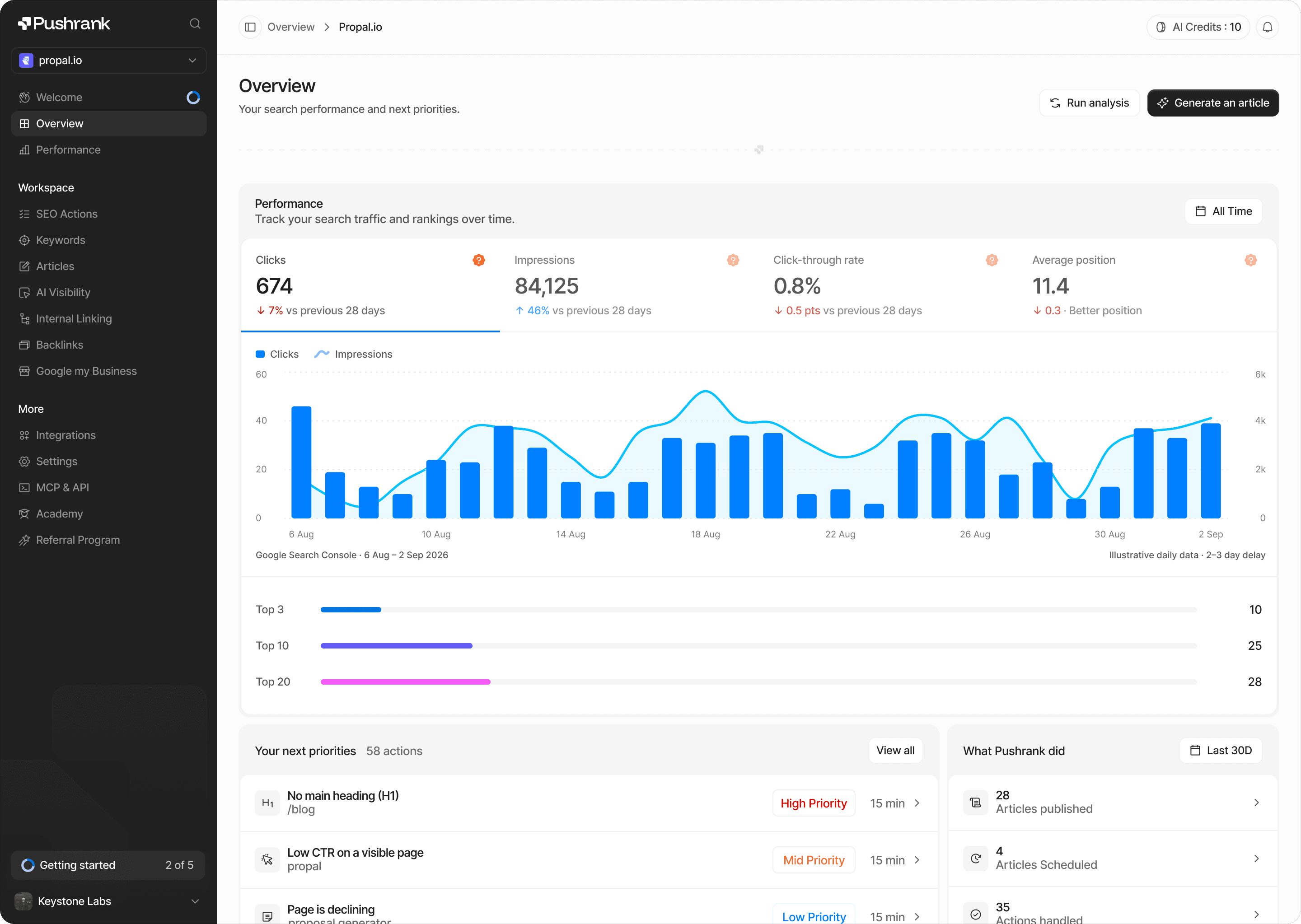
That is precisely what we built at Pushrank available at pushrank.io: an audit that produces a daily action plan telling you what to do first.
In this article we explain how to run a complete SEO audit.
Why Run an SEO Audit?

Several concrete reasons justify the exercise, and most translate directly into lost or recoverable traffic.
Identify what blocks you before adding more
This is the primary reason. Many sites invest in content when their problem sits elsewhere. Unindexed pages, redirect chains or misconfigured canonical tags silently cancel out your editorial work.
Publishing on a technically blocked site amounts to filling a leaking bucket. The audit finds the holes before you pour more in.
Understand why your traffic has stalled
A traffic plateau always has an identifiable cause, but rarely the one people assume. Many teams attribute a decline to an algorithm update when their data tells a different story.
The audit replaces assumption with diagnosis. You stop fixing at random.
Detect cannibalization
This is among the most widespread and least visible problems. Several of your pages target the same search intent, compete against each other, and Google no longer knows which to rank.
The result is counterintuitive: publishing more degrades your rankings rather than improving them. Without an audit, you will never see it.
Recover value already produced
A significant share of the gain comes not from new pages but from those that already exist. Content sitting on page two, a few optimizations away from the top three, is your most profitable reservoir.
Improving an existing page costs far less than producing a new one, for a frequently higher return.
Prioritize your effort
Improving everything is impossible. The audit ranks what genuinely weighs on your results against what amounts to cosmetic detail.
That prioritization matters more than the problem list itself. Knowing you have a hundred issues helps nobody. Knowing which three to handle this week changes everything.
Prepare for a redesign or migration
Before changing your structure or platform, the audit establishes your baseline. Without that reference, you will not know whether a post-migration drop came from the redesign or from something else.
Position yourself against competitors
A semantic audit reveals the subjects your competitors cover and you ignore. Those gaps represent qualified traffic you have never attempted to capture.
Prepare for AI visibility
A recent but decisive dimension. Assistants like ChatGPT, Claude and Gemini cite certain sources over others, based on structural criteria an audit can identify.
One point to close: an audit is only worth what comes out of it. A report nobody acts on changes nothing.
That is why at Pushrank available at pushrank.io, our audit produces a prioritized daily action plan.
How Do You Run a Technical Audit?
The technical audit verifies that Google can reach your site, crawl it and index it properly. Here is how to proceed.
- Verify how many pages are actually indexed
- Check your robots.txt and sitemap
- Analyze your HTTP response codes
- Examine your canonical tags
- Measure your loading performance
- Check your mobile version
- Verify your URL structure
- Audit your structured data
The first step is to verify your indexing. Compare the number of pages you want indexed against what Google has actually retained, through Search Console’s indexing report.
A significant gap signals a major problem, and it is the starting point of any audit. An unindexed page generates no traffic whatever its quality.
The second step is to check robots.txt and sitemap. Verify that no directive accidentally blocks important sections, a classic error after a deployment. Your sitemap should contain only canonical URLs returning 200.
The third step is to analyze your response codes. Spot 404 errors on pages receiving links, redirect chains diluting authority, and 5xx server errors degrading your crawl budget.
A single redirect poses no problem. Three chained redirects on the same path does.
The fourth step concerns canonical tags. Misconfigured, they silently deindex pages you wanted to rank. Verify that each page points to itself, except in cases of deliberate duplication.
The fifth step is to measure performance. Core Web Vitals remain a signal, though their actual weight sits below what many assume. Focus on slow pages receiving traffic rather than on blanket optimization.
The sixth step is to check your mobile version. Google indexes mobile-first, which means content absent from your mobile version does not exist for it.
The seventh step concerns your URL structure. Excessive depth, parameters generating duplicates or inconsistent URLs complicate crawling.
The eighth step is to audit your structured data, particularly on product pages, articles and FAQs, where it directly influences how you appear in results.
One method note: start with indexing. Until your pages are in the index, optimizing their speed or their tags produces nothing.
Then rank by traffic impact. An error on a page receiving a thousand monthly visits deserves attention before fifty issues on pages nobody visits.
That is precisely the logic behind our crawler at Pushrank available at pushrank.io, which detects cannibalization, canonical problems and mismatched search intent, then prioritizes the actions.
How Do You Audit Your Content?
The content audit examines what you have already published, and this is generally where the most profitable gains sit. Here is how to proceed.
- Inventory every page you have
- Cross-reference with your performance data
- Identify cases of cannibalization
- Verify alignment with search intent
- Spot your page-two rankings
- Detect outdated content
- Decide for each page: keep, improve, merge or remove
The first step is to inventory your pages. Pull the complete list of what is live, including old content you had forgotten. Many sites discover dozens of pages published without any follow-up.
The second step is to cross-reference with Search Console. For each page, record impressions, clicks, average position and the queries triggering it. This data turns an inventory into a diagnosis.
The third step, and the most profitable, is to identify cannibalization. Spot queries where several of your pages appear. They compete against each other, and Google cannot determine which to favor.
The typical symptom: rankings oscillating between two URLs on the same query, with neither genuinely progressing. Resolving this frequently produces immediate gains without writing a word.
The fourth step is to verify search intent. Type your target queries and observe what Google actually ranks. If the results are product pages and you offer a blog article, you will never rank, whatever the quality of your text.
That mismatch explains a substantial share of content that never takes off.
The fifth step is to spot your pages in positions 8 to 20. They generate impressions without clicks, but they sit close to the threshold where traffic starts. A few targeted optimizations there produce more than a new article.
This is the best effort-to-result ratio in the entire audit.
The sixth step is to detect outdated content. Stale data, discontinued tools and obsolete pricing damage both your credibility and your rankings. A dated update frequently revives a dormant page.
The seventh step is to decide on each page. Keep those performing, improve those approaching, merge those cannibalizing each other, remove or redirect those contributing nothing.
One caution on that last point: do not delete reflexively. A page with no traffic but inbound links deserves a redirect rather than outright removal.
One final marker: start with pages already receiving impressions. Google knows them, which makes every improvement immediately measurable.
That is the logic we apply at Pushrank available at pushrank.io, with cannibalization detection and search intent analysis built into the audit.
What Tools Should You Use for an SEO Audit?
No single tool covers an entire audit. Here are the ones that make up a complete toolkit.
Table: SEO audit tools
| Tool | Primary use | Price |
|---|---|---|
| Google Search Console | Indexing, queries, real rankings | Free |
| Google Analytics | Behavior and conversions | Free |
| Screaming Frog | Technical crawl, HTTP codes, tags | Free up to 500 URLs |
| PageSpeed Insights | Core Web Vitals and performance | Free |
| Semrush or Ahrefs | Backlinks, competition, keywords | From $100 |
| Pushrank | Audit, cannibalization, action plan | From 74 € excl. tax |
As the table shows, Search Console remains essential and free. It is the only source of real data on your rankings, impressions and indexing. Every other tool works from estimates.
Always start there.
Screaming Frog is the reference for technical crawling. Its free version covers 500 URLs, enough to audit a small site entirely or sample a larger one. It surfaces response codes, redirects, missing tags and page depth.
Semrush and Ahrefs add the competitive dimension and backlink data, which Google’s tools do not provide. Their cost restricts them to organizations with a dedicated budget.
One methodological point matters here. These tools produce problem lists, not priorities. A Screaming Frog report showing four hundred issues does not tell you where to start, and that is precisely where most audits fail.
Prioritizing requires cross-referencing technical issues against your real traffic data, something few tools automate.
That is what we built at Pushrank available at pushrank.io: an audit detecting cannibalization, canonical problems and mismatched intent, producing a prioritized daily action plan.
How Do You Act on Your Audit Results?
This is where most audits fail, and it has nothing to do with the quality of the diagnosis. A thorough report sitting in a shared folder changes nothing about your rankings.
The principle comes down to one word: prioritize. Your audit probably surfaced dozens of issues, and handling them in the order they appear is the worst possible approach. Cross-reference each problem against your real traffic data, then start with what affects pages already receiving impressions. An error on a page generating a thousand monthly visits deserves attention before fifty issues on content nobody reads.
Then respect a logical sequence. Fix what blocks indexing first, since a page absent from the index produces nothing whatever its optimizations. Handle cannibalization next, which silently cancels part of your editorial work. Finally work your pages ranking between eighth and twentieth position, where a few adjustments tip a page into real traffic.
Turn every finding into a dated, assigned action. “Improve internal linking” is not an actionable item. “Merge the three articles on query X by Friday” is.
Measure the effect finally. Record your positions and impressions before acting, then check the change three to four weeks later. Without that measurement, you will never learn what actually works on your site.
One last point: an audit is not a one-off exercise. Problems reappear as you publish, which makes continuous monitoring considerably more useful than an annual diagnosis.
That is precisely our approach at Pushrank available at pushrank.io, with a prioritized daily action plan and SEO actions updated every week.
Conclusion: Diagnose Before You Produce
An SEO audit exists not to produce a report but to tell you where to act. That distinction explains why so many sites invest in content without seeing their traffic move.
Four components structure the exercise. The technical audit verifies Google can reach and index your pages. The content audit examines what you have published. The semantic audit reveals subjects you have never covered. The authority audit measures your perceived standing.
Always start with indexing. Until your pages are in the index, optimizing their speed or their tags produces nothing.
Then handle cannibalization, the most widespread and least visible problem. Several pages targeting the same intent compete against each other, and the result is counterintuitive: publishing more degrades your rankings rather than improving them.
Finally work your pages in positions 8 to 20. They generate impressions without clicks, but a few targeted optimizations tip them into real traffic. This is the best effort-to-result ratio in the entire exercise.
Remember above all what separates a useful audit from a decorative one: prioritization. Knowing you have a hundred issues helps nobody. Knowing which to handle this week changes everything.
So turn every finding into a dated action, measure the effect three to four weeks later, and accept that an audit is not a one-off exercise. Problems reappear as you publish.
That is exactly what we built at Pushrank available at pushrank.io: an audit producing a prioritized daily action plan, with SEO actions updated weekly, cannibalization detection and search intent analysis.